
Optimizing Your Facebook Cover Image: Tips and Mistakes to Avoid

Optimizing Your Facebook Cover Image: Tips and Mistakes to Avoid. Your Facebook cover photo is much more than just an image. It's your introduction, a visual opportunity to convey who you are and what you represent. In this article, we will explore best practices and mistakes to avoid when selecting and designing your Facebook cover photo.
It may interest you: Privacy and Security Settings on Facebook - Safeguarding Your Information
Video: Responsive Facebook Page Cover Image size in 2023 [Experimented and tested in devices]
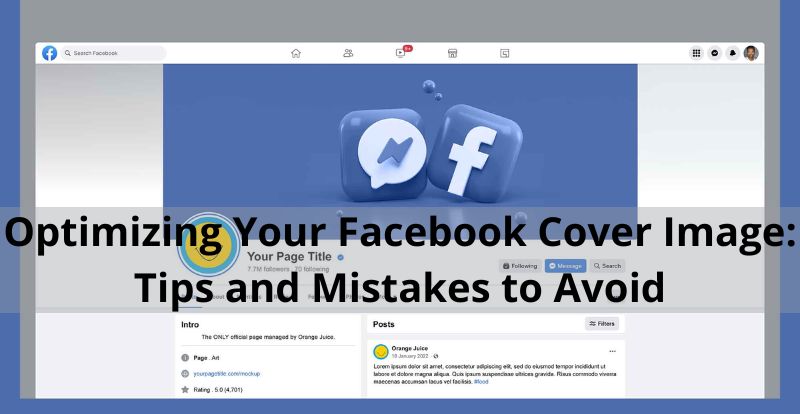
Why is Your Facebook Cover Image Important?
The Facebook cover is not just decoration; it's your visual identity. Through this image, you can graphically communicate your company's values, the products you offer, and your target audience. It's a showcase that defines your style, whether it's formal, casual, or bold. Consistency with your brand's colors and style is essential, as this photo is public, and anyone can see it.
Ideas for Different Sectors and Businesses
The diversity of industries and businesses is reflected in the infinite possibilities for your Facebook cover photo. From brushes and colors for graphic designers to tools and blueprints for the engineering sector, creativity knows no bounds. A touch of freshness with images of fields and animals for agriculture, or elegance with garments and accessories for the fashion world. Whatever your sector, your cover photo should be an authentic visual representation.
Dimensions and Proper Formats
The perfect size for your Facebook cover photo is 851 pixels wide by 315 pixels tall, with a file size of less than 100 kb. For images with a logo, opt for PNG files to ensure the best quality. Don't forget that visual quality is key; therefore, working with the right measurements from the beginning will avoid unwanted automatic adjustments.
Tips to Improve Your Cover Photos
1. Follow Facebook Guidelines
The integrity of your page is at stake. Avoid deceptive covers or those that infringe on copyright. Facebook can take action if terms are violated, and although the exact consequences are not specified, it's safer to follow the rules.
2. Adjust the Correct Measurements
Visualize how your photo will look on the page before dedicating time to designing it. Dimensions of 820 x 312 pixels are ideal, considering that images will be displayed in different resolutions depending on the device.
3. Mainly Visual Message
Gone are the restrictions of the 20% text rule. Take advantage of the freedom, but don't overdo it. A visually impactful and direct message is more effective.
4. Simplicity with a Specific Goal
Consider your cover photo as the "front page." Avoid distractions and low quality. A central theme with contrasts will make Facebook buttons stand out.
5. Professionalism in Photographs or Designs
Professionalism is key. You can hire a designer or photographer, or use high-quality resources from image banks. The investment is worth it to convey a solid image.
6. Avoid Content Behind the Profile Picture
The position of the profile picture can hide part of your cover. Place important content above the halfway line to ensure your message is visible.
7. Review the Complete Composition
Before approving your cover photo, check how it looks with the profile picture, navigation menu, and call-to-action buttons. Harmony is key.
8. Design for Mobile Devices
Consider that 96% of Facebook users access the platform from mobile devices. Adjust your design to ensure a seamless experience, avoiding important content on the far right.
Tailoring Your Facebook Cover for Success
In addition to these crucial aspects, consider the dynamic nature of your audience. Your Facebook cover is a canvas for storytelling, an ever-evolving space where you can showcase promotions, launches, or important events. Regularly updating your cover photo with relevant content not only keeps your page fresh but also engages your audience, making your brand more dynamic and responsive to their interests.
So, while maintaining visual consistency, don't forget to infuse a touch of spontaneity into your Facebook cover strategy for maximum impact.
Your Facebook cover photo is more than an image; it's your visual story. Follow these tips, avoid common mistakes, and make your cover stand out in the virtual crowd.
Si quieres conocer otros artículos parecidos a Optimizing Your Facebook Cover Image: Tips and Mistakes to Avoid puedes visitar la categoría Facebook.
Leave a Reply