
Decoding the Complexity of Facebook Likes: Beyond Notifications

Decoding the Complexity of Facebook Likes: Beyond Notifications. In the vast realm of social media, Facebook stands out as a crucial platform for social interaction and the expression of our interests. One of the most common actions on this platform is the well-known "Like" button, a seemingly simple gesture that, upon closer inspection, triggers a series of events impacting our interactions and visibility on the network.
In this article, we'll unravel the mystery behind Facebook Like notifications and explore the profound effects this action has on our online experiences.
It may interest you: The Importance of Facebook Likes: Beyond the Simple Gesture
Video: How To Fix Facebook Notifications If Not Working
The Intriguing World of Like Notifications
Selective Like Notifications
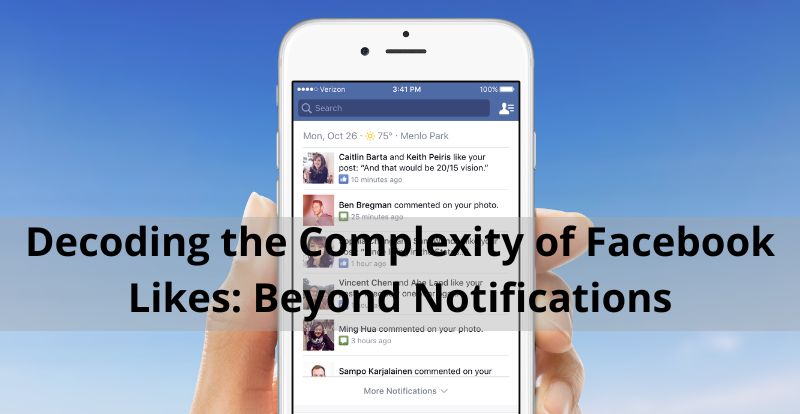
When we venture to click the Like button on a photo on Facebook, questions naturally arise about who exactly gets notified of our action. Does it unleash a flood of notifications to all our friends? The answer, as we'll discover, is more nuanced than it appears at first glance.
First and foremost, it's crucial to understand that Like notifications are selective. Only individuals directly tagged in the post will receive a notification of your interaction. If you like a photo of your friend Juan, only Juan will be informed of your gesture. However, here's where it gets interesting: if another mutual friend of Juan also likes the same photo, you won't receive a duplicate notification. Facebook, as clever as always, recognizes that both of you are already aware of the post, avoiding flooding your notification tray with redundant information.
Of course, there are exceptions. If someone comments on the photo you liked, you might receive a notification to keep you in the loop of the conversation. Additionally, if you've tweaked your notification settings to receive updates on specific friends' actions, you might also get notified when they Like a post. In summary, your other friends can rest easy; unless there are additional comments or specific notification settings, they won't be bombarded with unnecessary information.
The Impact of Liking: Beyond Notifications
1. Enhancing Interactions
Liking a photo on Facebook is an expression of appreciation or agreement with the shared content. This simple gesture can trigger positive responses, as the photo's author may choose to respond with a comment or a thank you. Furthermore, your friends will also see your Like and may join the conversation, fostering greater interaction around the post.
2. Navigating Visibility Algorithms
Liking a photo not only affects direct interactions but also influences the visibility of the content. Facebook employs a complex algorithm that determines what content appears in your news feed and your friends' feeds. By liking a photo, you increase the likelihood of that image appearing in your feed and your friends' feeds. However, it's crucial to understand that not all interactions and Likes are considered equal in terms of visibility. Factors like content relevance, relationship with the post's author, and the probability of your interest are woven into this intricate algorithm.
The simple act of liking a photo on Facebook triggers a series of events that go beyond a mere notification. From enriching interactions to influencing content visibility, this action plays a significant role in our social media experience.
The Visibility of Likes: A Deep Dive
In the realm of social media, especially on Facebook, it's crucial to understand how certain features and privacy settings work to ensure the safety and privacy of our online actions. One of the most relevant aspects is the visibility of the Likes we give to posts, photos, or comments.
Configuring Like Privacy
When we Like a post on Facebook, there may be times when we wonder who can see that action. Is it visible to all our friends, or only to specific groups of people? The answer depends on our customized privacy settings.
It's essential to note that Facebook provides various options to control the visibility of our Likes. By default, these Likes are visible to our friends, and this can vary if we make changes to our privacy settings.
Key Points on Like Visibility
Privacy Settings:
You can adjust the visibility of your Likes from your profile's privacy settings. To access these settings, go to the privacy and settings section in your Facebook account. Here, you'll find options to customize who can see your Likes.
Specific Friends:
In addition to the general settings, you can also control who can see your Likes on specific posts. When you Like a post, you can choose who can see that action, selecting options like "Only Me," "Friends," or even customized lists.
Comments and Photos:
Likes on comments and photos also have their own privacy settings. You can control who can see your Likes in these specific cases, useful if you want to be more selective about the actions you share.
It's important to remember that each time you Like a post, photo, or comment, you're expressing support or approval for that content. However, it doesn't necessarily mean that everyone on your friends' list can see it. The visibility of your Likes is based on your customized privacy settings.
Navigating the World of Interactions and Privacy
the visibility of Likes on Facebook can be controlled through both general and specific privacy settings for each post, comment, or photo. This gives you the ability to decide who can see your online actions and maintain your privacy according to your individual preferences.
Remember to periodically review and adjust your privacy settings to ensure you're sharing your Likes consciously and safely on Facebook. By understanding the intricacies of Like notifications and privacy settings, you can confidently navigate the fascinating world of online interactions. Explore, interact, and enjoy your social media experience!
Si quieres conocer otros artículos parecidos a Decoding the Complexity of Facebook Likes: Beyond Notifications puedes visitar la categoría Facebook.
Leave a Reply