
How to Use Facebook Live for Businesses: A Comprehensive Guide

How to Use Facebook Live for Businesses: A Comprehensive Guide. Facebook Live has become an essential tool for businesses aiming to connect with their audience and boost brand visibility. If you haven't explored all the possibilities this live streaming platform offers, now is the perfect time to start.
In this article, we will delve step by step into how to use Facebook Live to maximize its benefits. Whether you are taking your first steps into the world of live broadcasts or seeking to enhance your skills, keep reading for valuable insights.
It may interest you: The Importance of Timing in Publications and Advertisements
Video: Facebook Live Streaming - COMPLETE Beginners Guide!
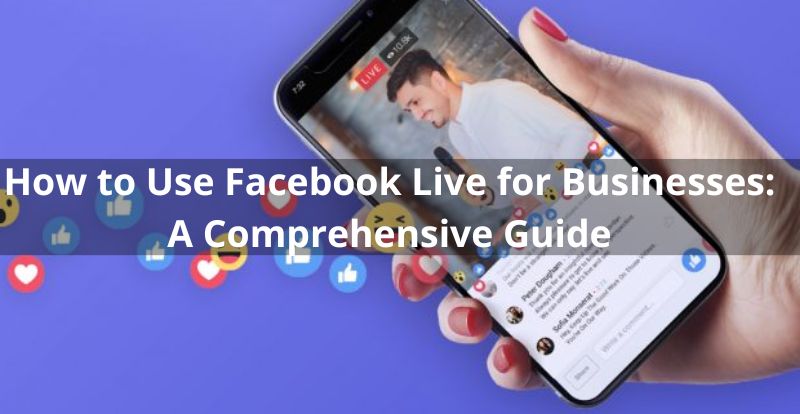
How to Broadcast a Live Video on Facebook
When you broadcast a video via Facebook Live, you can share it on your page, group, event, and even on the Feed or Facebook Watch. After the transmission, you can edit and share the recording on your page. Below, we provide steps to initiate a live stream from your mobile device and computer.
From Your Mobile: Using the Facebook App
Access the page, group, personal profile, or event from which you want to broadcast.
Tap "What's on your mind?" or "Create a post" and choose "Live Video."
Write a description, tag friends, add location, and use widgets for additional elements.
Tap "Go Live" to start and "Finish" to end.
Using the Creator Studio App:
In the Home or Posts tab, tap the new post icon and select "Live."
Write a description, tag collaborators, and tap "Go Live" to start, and "Finish" to conclude.
From Your Computer:
You can use your computer's webcam or connect more advanced production equipment. Facebook will guide you through its Live Producer tool. Follow these steps:
Using Your Computer's Webcam:
Click on "Live Video" at the top of your Facebook home page.
In Live Producer, choose where to post the broadcast and select the webcam.
Add details to the post and click "Go Live" when ready.
Tips to Maximize Your Facebook Live Experience
Now that you've mastered the basics, it's time to take your broadcasts to the next level. Here are some practical tips:
1. Plan in Advance:
Before starting your live video, identify your purpose and write relevant talking points. A planned transmission tends to be more effective.
2. Be Authentic:
Authenticity is key in live broadcasts. Embrace the spontaneous nature of Facebook Live to build trust with your audience.
3. Team Up with Other Guests:
Joint broadcasts are engaging. Connect with others to broaden your reach, and make sure they promote the stream on their channels.
4. Generate Anticipation:
Promote your live stream with mysterious posts, offer behind-the-scenes insights to your followers, and consider providing prizes. Facebook allows you to schedule broadcasts in advance.
5. Test Your Stream Privately:
Before going live, conduct a private test to check sound, lighting, and angles. Change your privacy settings to "Only Me" for this test.
6. Invest in Quality Equipment:
Webcams, ring lights, and microphones are more affordable than ever. Enhance the quality of your Facebook Live videos for a more enjoyable experience.
7. Tag Your Collaborators:
Leverage tags in descriptions to thank collaborators and facilitate understanding of the content.
8. Provide Continuous Context:
Briefly recap for new viewers and use the video description to provide additional information.
9. Actively Engage with Your Audience:
Respond in real-time to comments and questions. Consider having a moderator to manage the chat.
10. Offer Interactive Content:
Make your stream dynamic with demonstrations, tutorials, or interactive sessions.
11. Schedule Your Broadcasts:
Consistency is key. Schedule regular broadcasts so your audience knows when to expect them.
12. Host Paid Online Events:
Take advantage of paid events to limit content distribution and monetize your broadcasts.
13. Add Subtitles:
Making your videos accessible with subtitles expands their reach and shows consideration for diverse audiences.
With these tips, you'll be ready to make the most of Facebook Live and enhance your connection with your audience. Don't miss the opportunity to stand out in the digital world!
Si quieres conocer otros artículos parecidos a How to Use Facebook Live for Businesses: A Comprehensive Guide puedes visitar la categoría Facebook.
Leave a Reply